AAW Symposium, Raleigh 2026 - Volunteer Sign Up Info
Please read all the information below and after that click the
Volunteer Sign-up button below.
The sign up process is handled by an external website called SignUpGenius. When you click the button below a new browser tab will open and you will be taken to the AAW volunteer page on that site.
How To Volunteer On SignUpGenius
First of, thank you for your interest in volunteering.
Also remember that you do not need to be an AAW member or a WGNC member to sign up.
The first page you will see on SignUpGenius will look similar to the following:
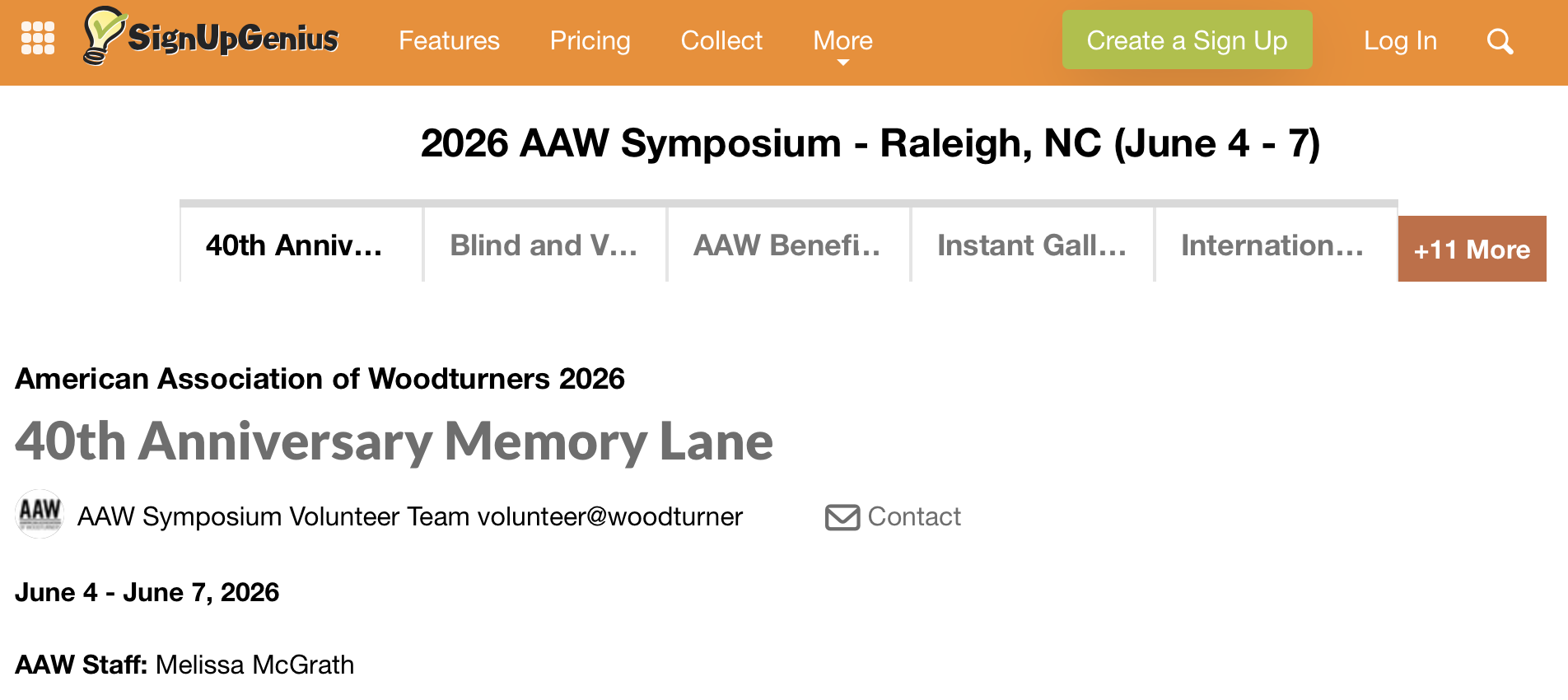
This is only the top of the actual page, but there are a few things to point out here.
- You do not need to Create a Sign Up account.
- Right below the title are listed 5 tabs plus a button that says +11 More, so there are 16 possible volunteer catagories to sign up for.
- Not all of the 16 are available to everyone for sign up, but if you see a Sign Up button next to a shift you are interested in then it is avaiable.
- To see the other 11 categories click on the +11 More button.
Once you see a volunteer category that you are interested in go ahead an click on it. When you do, read through the description of that volunteer positions, and its requirements. If they sound interesting to you then scroll down to see the time slots that are available.
If you are registered to attend the Symposium then please make sure that the slots that you are volunteering for do not overlap with any demos that you want to see.
Below is an image of what part of the sign up area for the 40th Anniversady Memory Lane looks like.
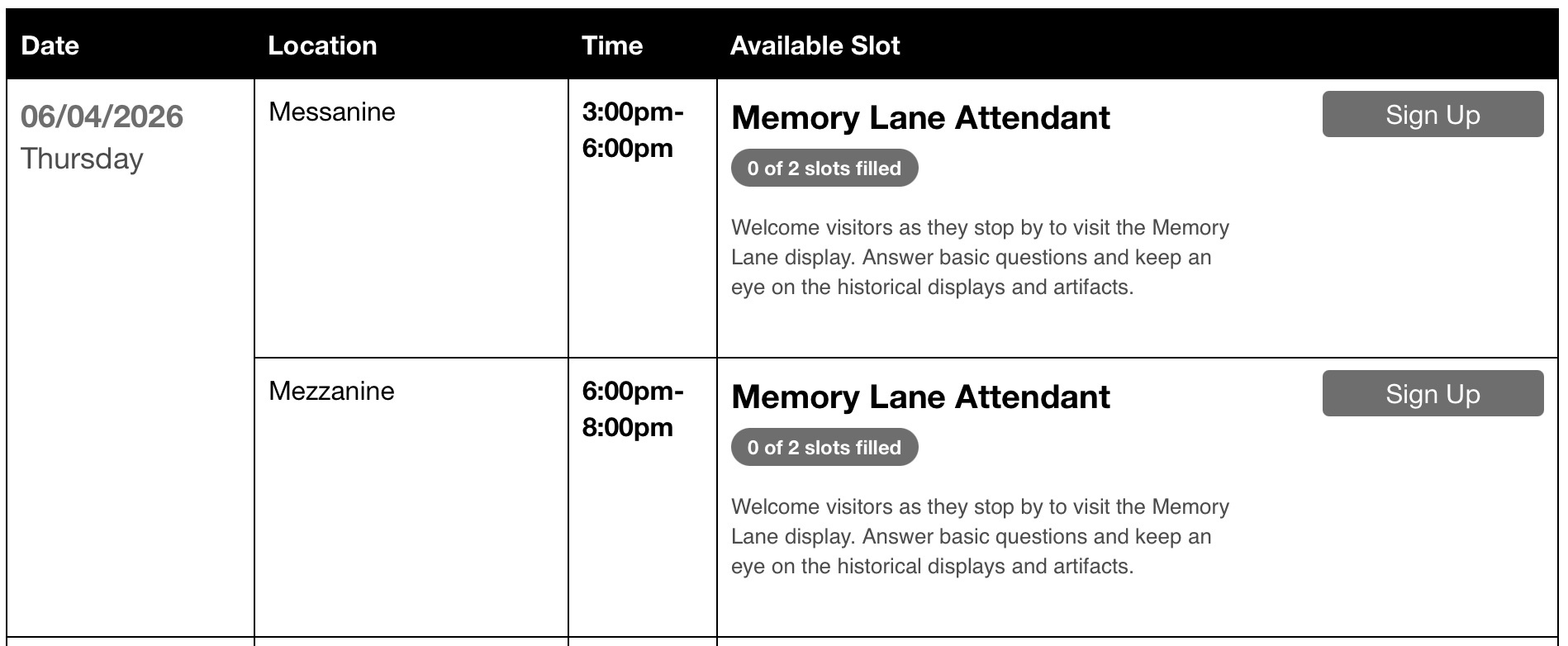
The above images shows that for all volunteer categories a Date, Location, Time and Available Slots will be displayed. In this particular image we are only seeing what is available for Thursday, though on the real web page there are many more dates and times available.
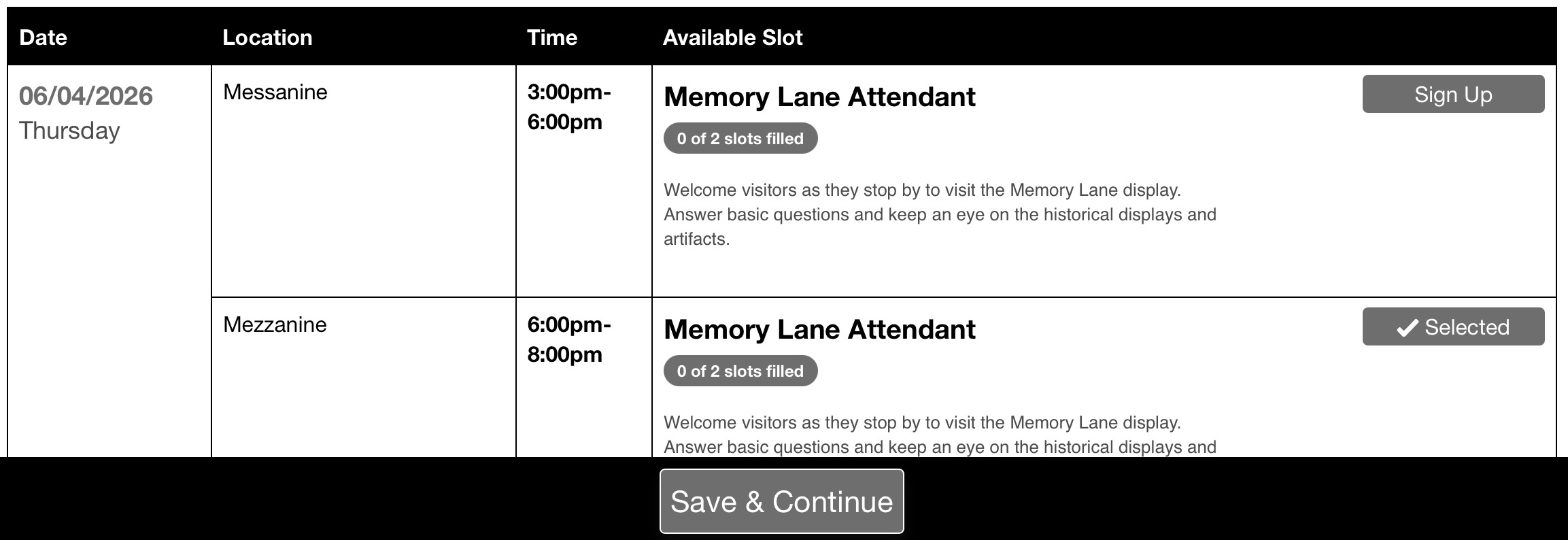
So, to sign up for a slot - say the 6:00pm - 8:00pm slot, you would click on the
Sign Up botton. That button would then have a check mark in it along with the word Selected. Also below that there is now a
Save & Continue button. If this was NOT the ony shift you wanted to sign up for then go ahead and click the S
ign Up button for other shifts. Once you are done selecting the shifts for this category then click on the
Save & Continue button.
The following image shows you what the next page looks like. This is where you need to enter your personal information. This includes your first and last name, email address, phone number, shirt size and whether you need special accommodations. Fill in all thouse required fields and then click on the
Sign Up Now button.
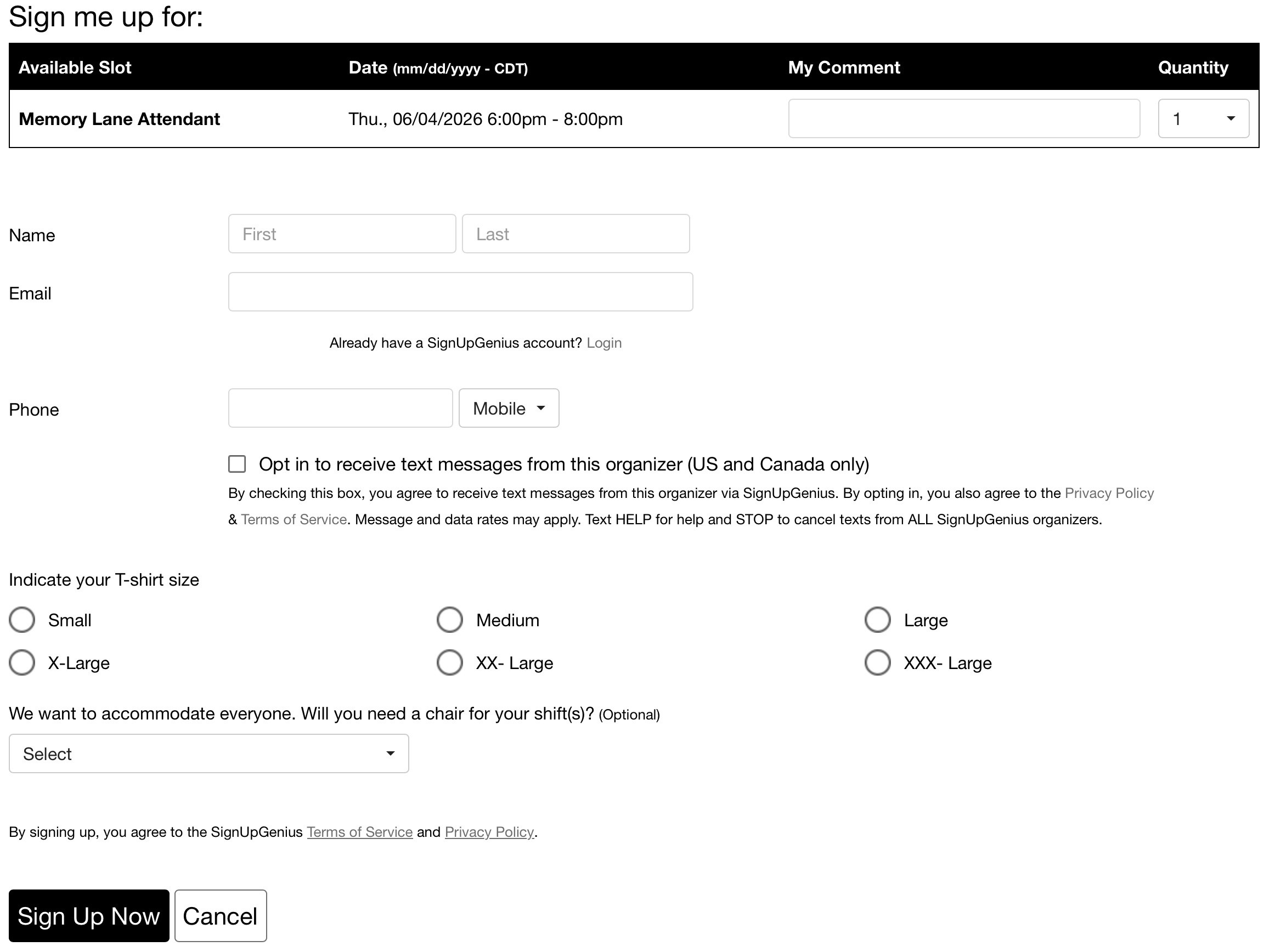
Note that each time you click on the
Save & Continue button of a volunteer category you will be taken to the above web page. And each time you will need to fill in this information. However you will only get one volunteer shirt! :-)
Now that you have an idea about how the volunteer sign up process works you are ready to volunteer!
Good luck and again THANK YOU!!!
Volunteer Sign-up